 Homeschool Days
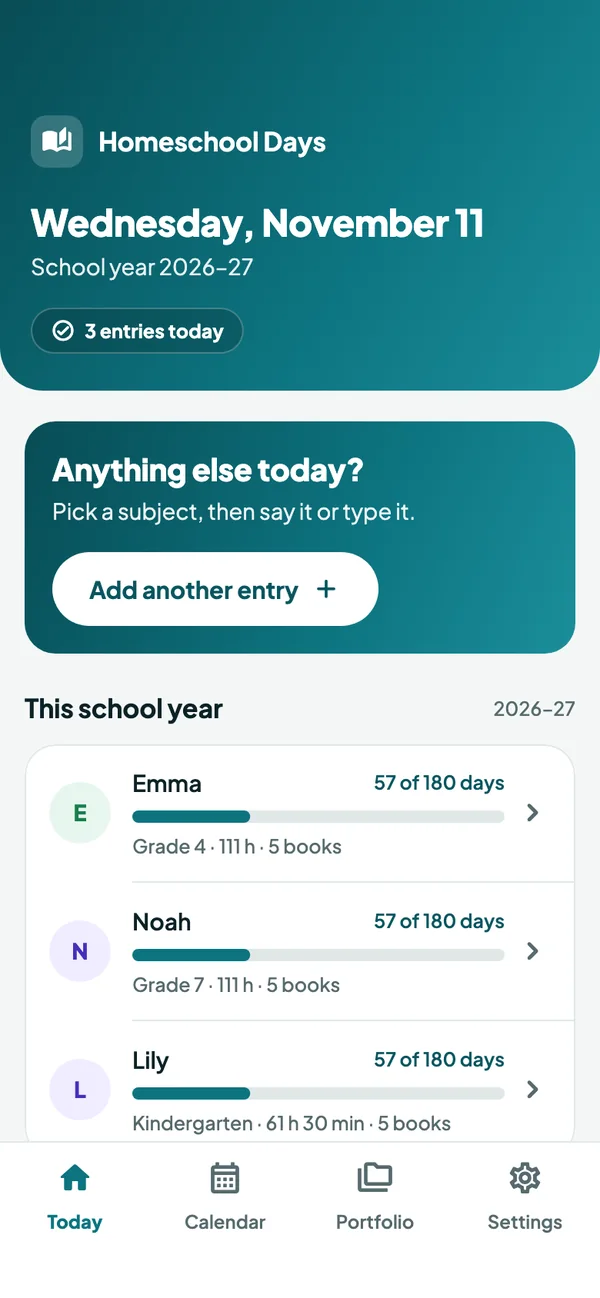
Log Emma’s science. Watch her portfolio fill in.
Change the subject, what you did, the minutes or the book. Emma’s portfolio page updates as you type, built the way the app builds her PDF.
Emma’s portfolio
Counted as you goLog of educational activities
November 2026
Math: Long division practice (40 min)
English: Read aloud, two chapters. Narration afterwards. (30 min)
Reading: Hatchet
Science: Planted bean seeds in jars and drew what we expect to happen. (45 min)
Reading: Seedfolks
Reading list
Already on Emma’s reading list. The same title in different capitals is one book.
In the app, Create portfolio PDF puts the whole school year into one file: a cover, the summary, this log, the reading list and samples of work.
A school day with Homeschool Days
-
After lunch
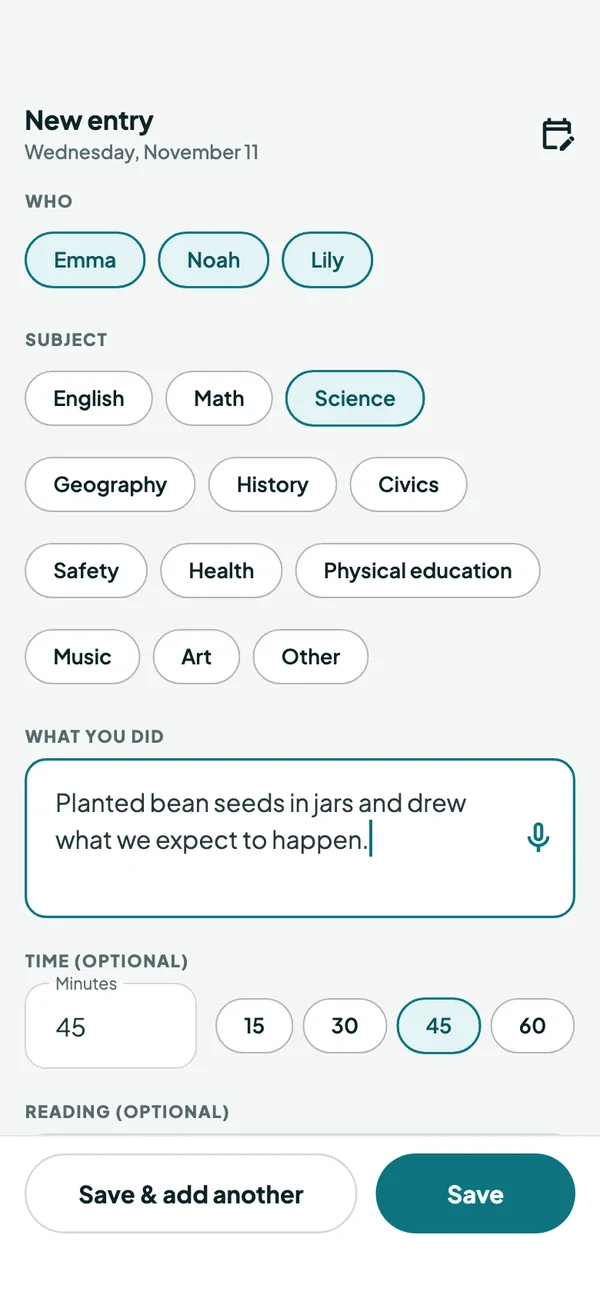
Log what happened, in under a minute
Tap Log today, pick the children and a subject, then say or type what you did. Add minutes or a book title only when you want to. Save, or Save & add another for the next subject.
- One entry can cover several children
- Nothing to set up first: no terms, classes or lesson plans
-
At the kitchen table
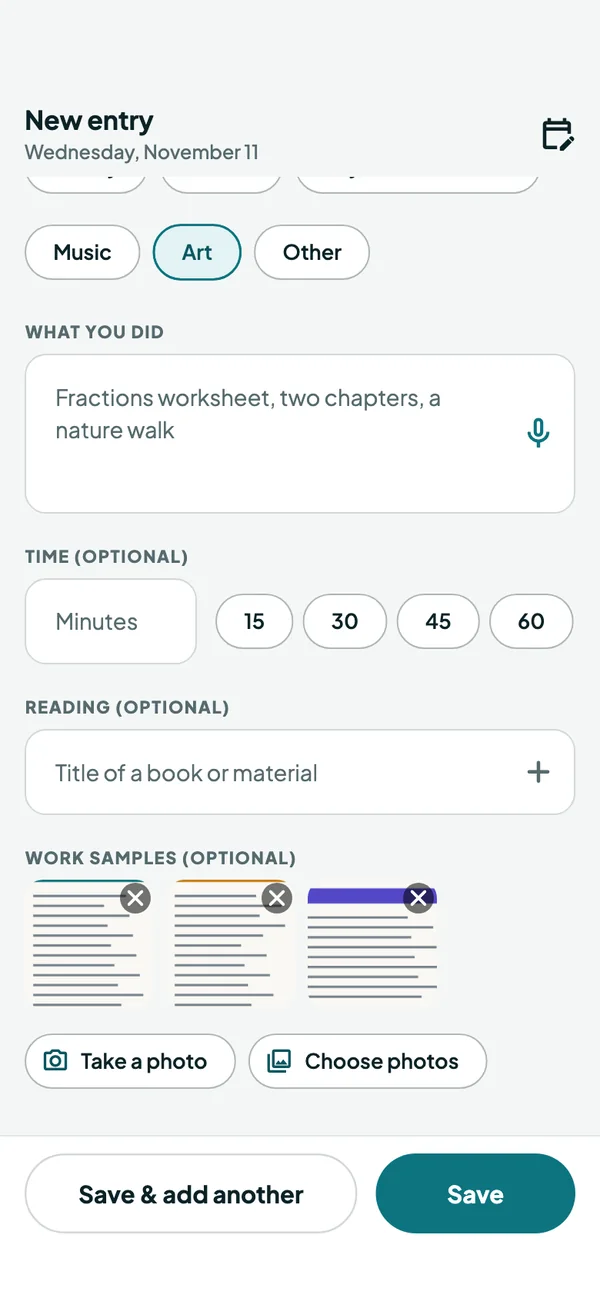
Keep the worksheet with the day
Take a photo of a worksheet, a page of writing or something they made, or choose one from your photos. It goes into the portfolio under its subject, in date order, so the start, middle and end of the year all show.
-
Saturday morning
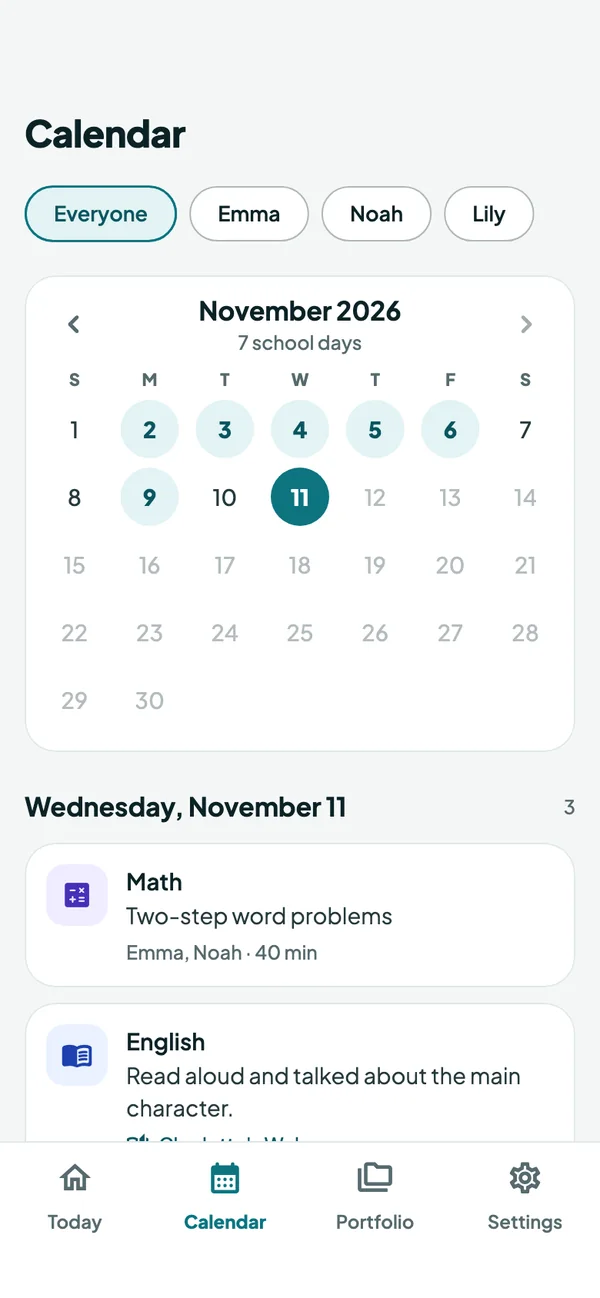
Fill in any day, without the guilt
Missed a few days? Open Calendar, tap the day and add what you did, or count it as a school day with one tap. Nothing is ever shown as late, missed or overdue.
-
Evaluation time
The year is already counted
Each child’s page shows school days, hours, every subject, the reading list and the photos of their work, all added up as you went. Tap Create portfolio PDF and send it with the share sheet.
- In Pennsylvania, days against 180 and every mandatory course
- A plain-text export, free with or without a subscription
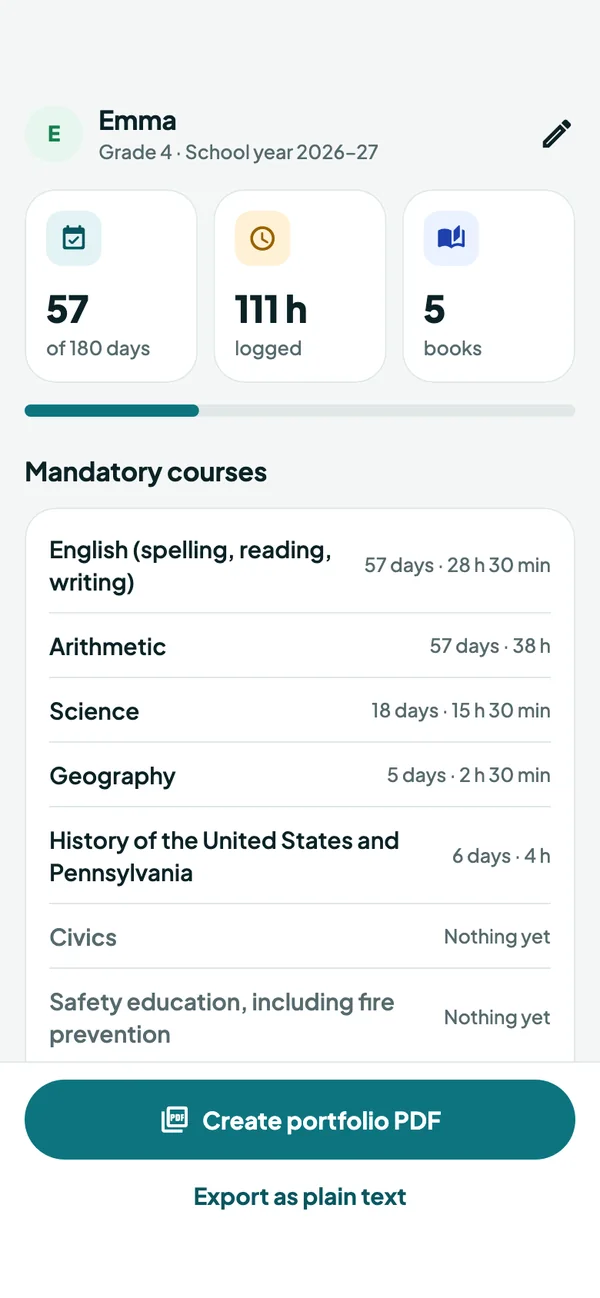
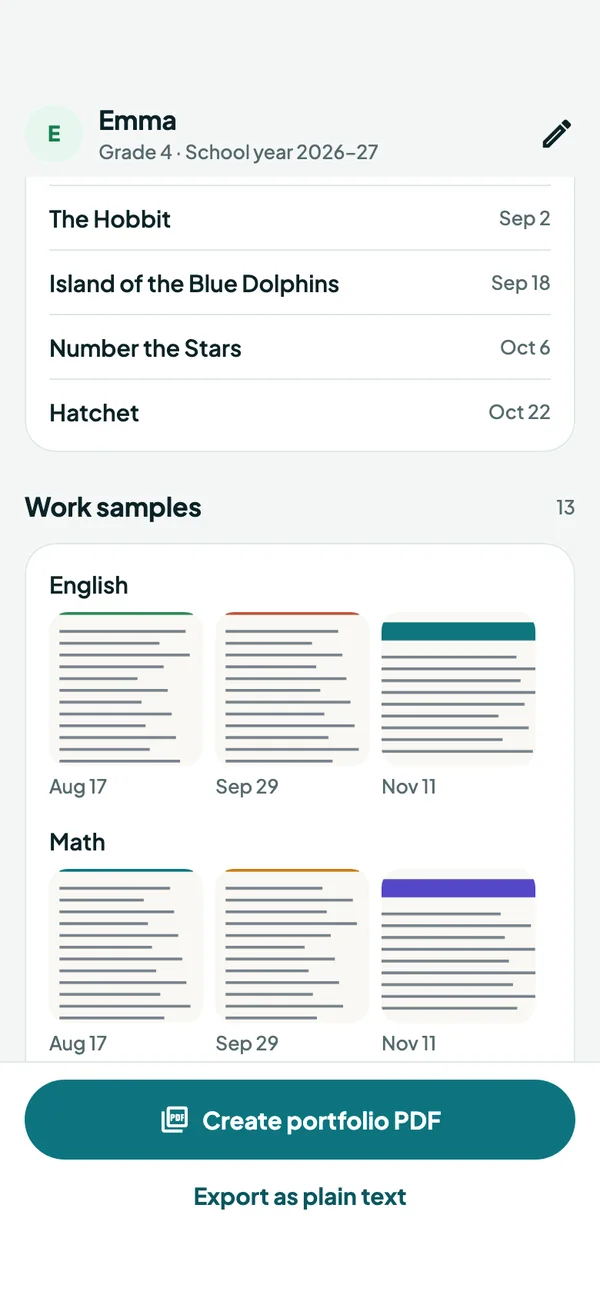
One PDF per child, in the order a reviewer reads it.
Made on your phone for one child and one school year. Share it to Mail, Files or AirDrop, or print it for the binder.
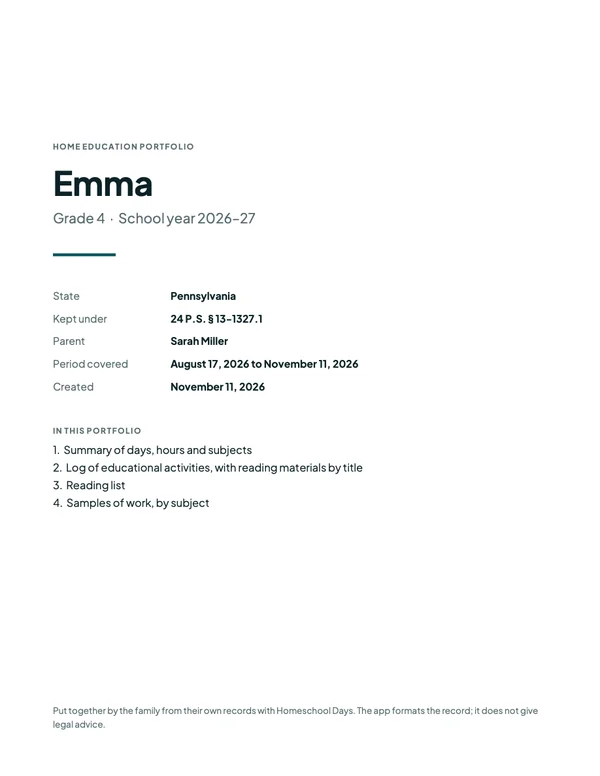 CoverChild, grade, school year, state and statute, and your name.
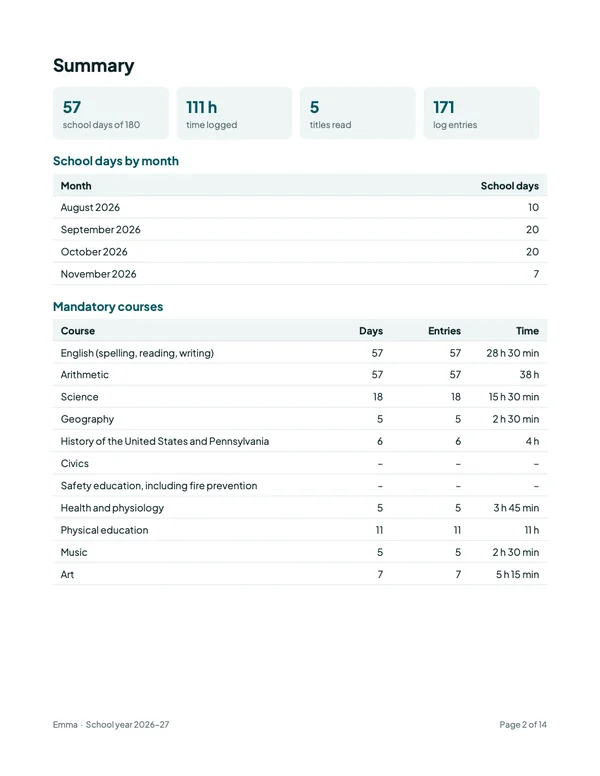 SummarySchool days and hours, days per month, and each subject. In Pennsylvania, every mandatory course.
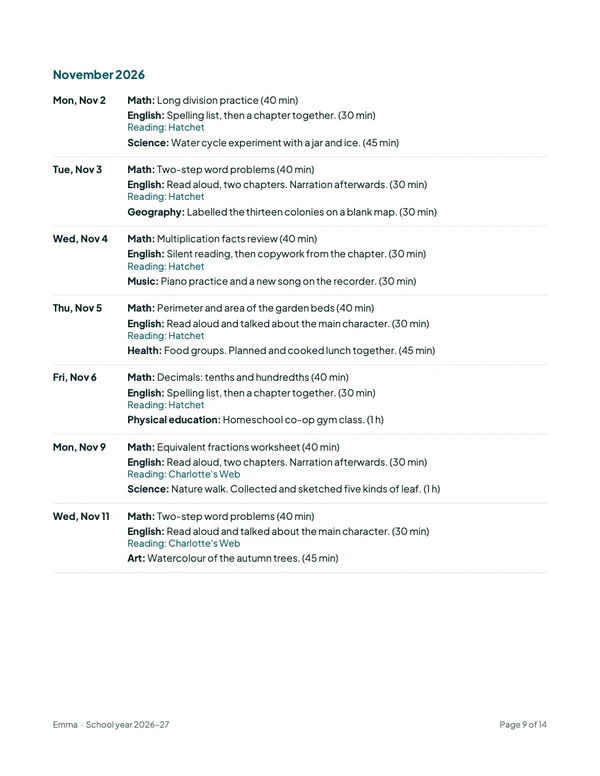 Log of educational activitiesDay by day: subject, what was done, minutes, and the titles read.
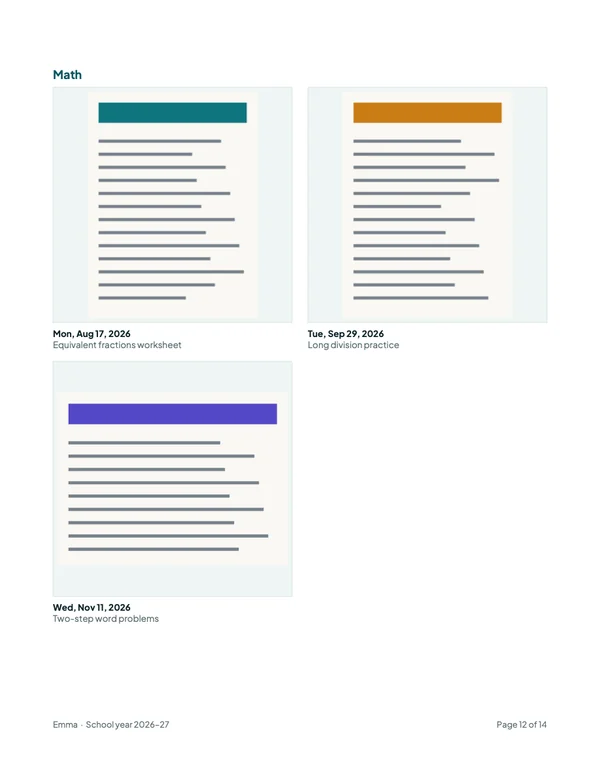 Samples of workPhotos under their subject, in date order, each with its date and note.
Also in the PDF: the reading list, with the date each title first appears.
Plain text, always free: export a child’s log as a text file any time.
Made for Pennsylvania and Florida. Useful in any state.
Choose your state when you start. It sets the subjects you pick from and what the portfolio shows. You can change it later in Settings.
Days counted against 180
Each child’s school days this year against 180, with hours from the minutes you add. The portfolio lists every mandatory course for the child’s level, so a course with nothing logged yet stands out.
A log for the yearly evaluation
A dated log of educational activities that names reading materials by title, with samples of work by subject, ready to hand to your evaluator.
A dated record, wherever you are
A general list of subjects, a dated log, a reading list and a count of school days. Check what your own state asks you to keep.
Homeschool Days records and formats what you did. It does not give legal advice or decide whether a record meets the law where you live. Check the current rules with your school district or evaluator.
Small things that keep the log to a minute
Dictation
Tap the microphone and say what you did. Typing always works too.
The whole family at once
A read-aloud or a field trip is one entry for every child who was there, and counts for each of them.
Count a day in one tap
No time for detail? “Count today as a school day” and add the rest later, or never.
Nothing is ever late
No streaks and no overdue badges. Entries can be dated today or any day before it.
Plain-text export
A child’s whole log as a simple text file, whenever you like. Always free.
Sample family
Explore three children and twelve weeks of entries first, and make their PDF. Then erase it and start your own.
One price for the whole family.
Start with a 7-day free trial. After that it’s $49.99 a year, however many children you teach. Logging needs the subscription, but your records are never held back.
Homeschool Days
for the whole family, any number of children
- Log every day for every child
- Calendar, school days and hours counted
- A portfolio PDF for each child, with photos of work
- Cancel any time in your App Store settings
Without a subscription
Your records stay yours.
- The sample family and its portfolio PDF
- Reading your log, and deleting from it
- Adding children
- Exporting your log as plain text
Prices are in US dollars; the App Store shows the price for your country. Homeschool Days is an auto-renewing yearly subscription. Payment is charged to your Apple Account when you confirm, or at the end of the free trial. It renews unless cancelled at least 24 hours before the end of the current period. See the terms.
Your family’s records stay on your phone.
Your children’s names, your log and the photos of their work are stored only on your iPhone. None of it is sent to us or to any server we run, so we can’t see it. A PDF or text file leaves your phone only when you share it. Read the privacy policy.
- No account and no sign-up
- No analytics and no advertising
- The app never reads the rest of your photo library
Spend the afternoon teaching, not keeping records.
Homeschool Days is coming soon to the App Store for iPhone. Questions in the meantime? Get in touch.